![Klir_Logo_Colour-B.png]](https://knowledgehub.klir.com/hs-fs/hubfs/Klir_Logo_Colour-B.png?width=181&height=90&name=Klir_Logo_Colour-B.png)
Summary
The co-permittee feature allows multiple facilities to share a single discharge permit within the platform. This enables centralized monitoring, consistent compliance management, and more accurate surcharge calculations across related facilities operating under the same regulatory requirements.
Why Use Co-Permittees?
Co-permittees are used when multiple facilities operate under the same permit and need to be managed collectively rather than individually. This is especially useful for organizations with multiple discharge locations tied to a single regulatory agreement.
Using co-permittees provides the following benefits:
1. Centralized Monitoring
Instead of managing separate Monitoring Plans for each facility, a single plan can be created and maintained for the shared permit. This reduces duplication and simplifies ongoing management.
2. Consolidated Compliance Rules
Limit sets and monitoring requirements can be applied across all facilities under one permit. This ensures consistency in compliance tracking and reduces the risk of discrepancies between sites.
3. Shared Asset Management
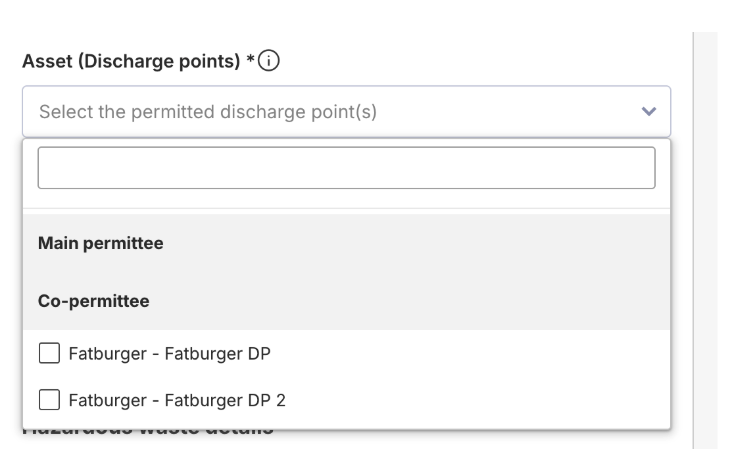
During permit setup, the system separates assets by:
- Main permittee
- Co-permittees
This allows users to easily select and associate discharge points, interceptors, or other regulated assets from multiple facilities under one unified permit.
4. Accurate Surcharge Calculations
The system automatically includes monitoring locations from both the main facility and all co-permittees when calculating surcharges. This ensures a complete and accurate representation of total discharge contributions.
When Should You Use Co-Permittees?
Consider using co-permittees when:
- Multiple facilities operate under the same regulatory permit
- Monitoring and compliance requirements are identical across locations
- Discharge contributions from multiple sites must be evaluated together
- You want to reduce administrative overhead and streamline reporting
Prerequisites
Before setting up co-permittees, ensure the following:
- The “Enable co-permittee(s) field in IPP permits” feature flag is enabled in system settings
- The facility being added:
- Is a non-domestic facility
- Has an active operational status
- Is not archived
- Is not marked as surcharge-eligible
Step-by-Step Setup Process
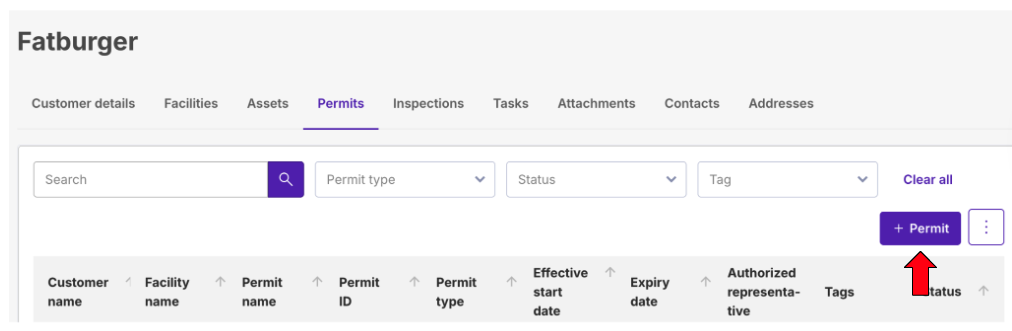
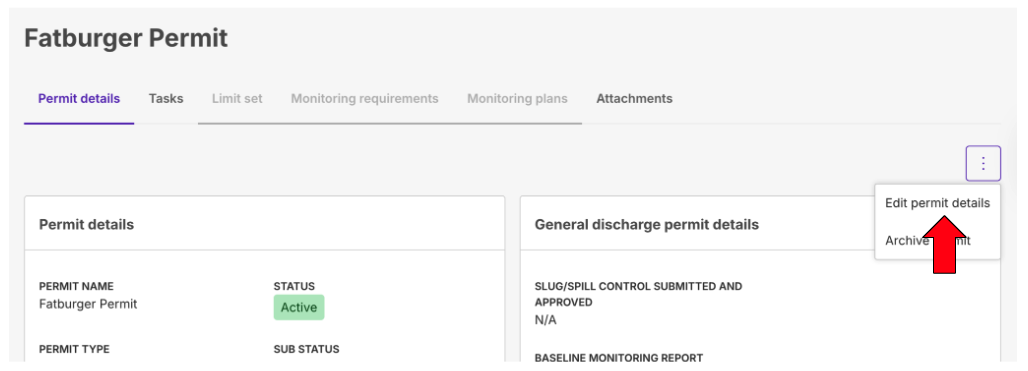
Step 1: Navigate to the Main Permit
- Open the primary customer’s facility
- Click + Permit to create a new permit
- or edit an existing permit
Step 2: Link Co-Permittees
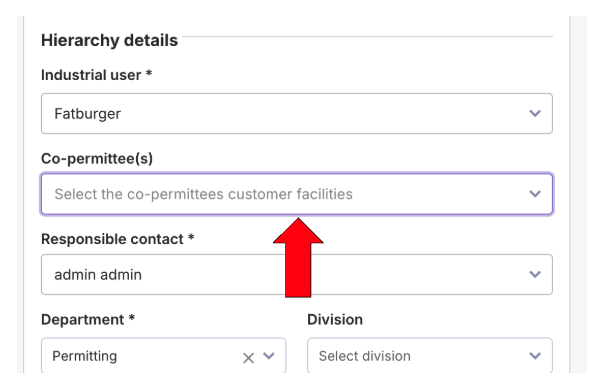
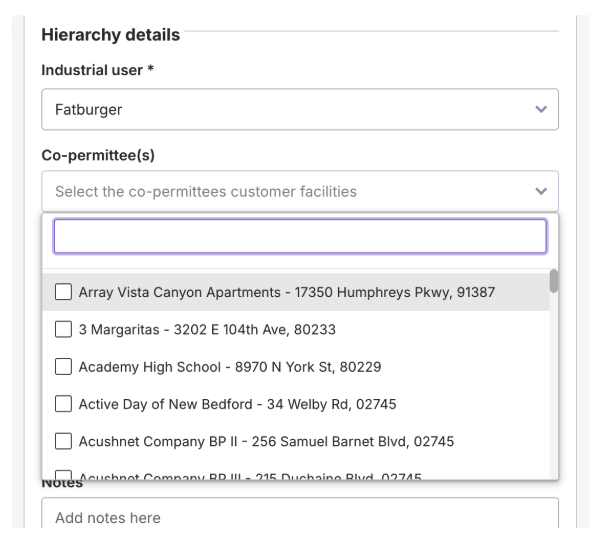
- In Step 1 of the permit setup, locate the Co-permittee(s) dropdown
- Search for the facility using:
- Name
- Address Line 1
- Zip/Postal Code
- Select one or more co-permittees as needed
Step 3: Associate Assets
- Click Next to proceed to Step 2
- In the Regulated Assets and Discharge Points sections:
- Assets will be grouped by:
- Main permittee
- Co-permittees
- Assets will be grouped by:
- Select the appropriate assets for all applicable facilities
Step 4: Finalize
- Click Create or Save to complete the permit setup
Managing Co-Permittees After Creation
Once configured, co-permittees are automatically integrated into the permit structure.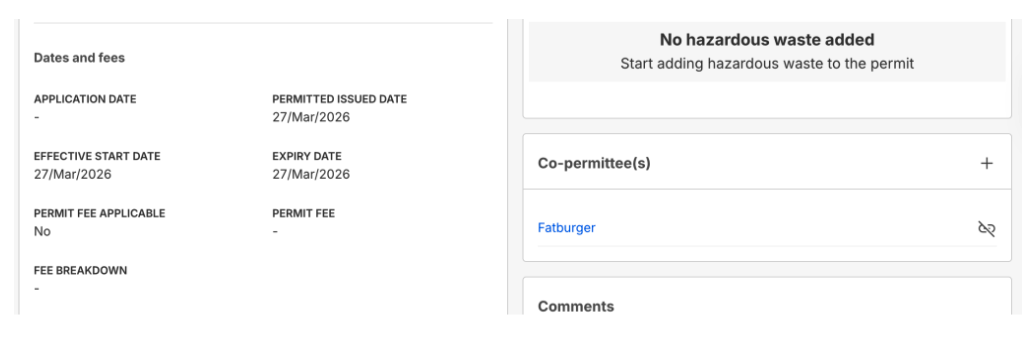
Key Behaviors
- The permit will appear in the Permits tab of each co-permittee’s facility profile
- A Co-permittee(s) card will be visible on the main permit page
Available Actions
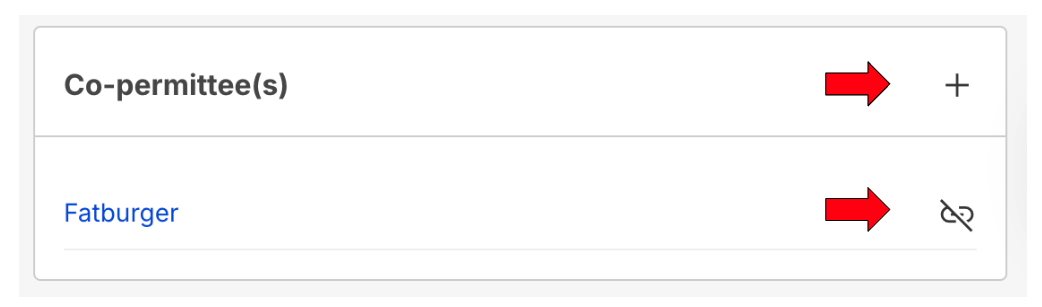
From the Co-permittee(s) card, you can:
- Navigate to a co-permittee’s facility profile
- Add additional co-permittees using the + button
- Unlink a co-permittee
- This will also remove their associated assets from the permit
Key Takeaway
Co-permittees are designed to simplify the management of shared permits across multiple facilities. By consolidating monitoring, compliance, and surcharge calculations into a single structure, they help reduce manual effort, improve data accuracy, and ensure consistent regulatory oversight.