![Klir_Logo_Colour-B.png]](https://knowledgehub.klir.com/hs-fs/hubfs/Klir_Logo_Colour-B.png?width=181&height=90&name=Klir_Logo_Colour-B.png)
Creating Aliases
Why Aliases Are Used
To ensure accurate reporting and consistent data across the platform, Klir maintains a standardized set of parameters, units, methods, and abbreviations within its database. This standardization is essential because clean data in leads to clean data out—when data is consistent at the point of entry, it can be reliably used for reporting, analytics, and downstream processes.
Allowing unrestricted creation of new parameters or variations would lead to duplicate or inconsistent data (e.g., “Ammonia N” vs. “Ammonia as N”), which can break reports, complicate analysis, and increase maintenance effort. Instead, Klir enforces a controlled structure where core data elements are standardized and managed centrally.
Aliases provide a flexible way to accommodate variations in incoming data without compromising this standardization. They allow the system to recognize different naming conventions or formats as the same underlying parameter, unit, or method—ensuring successful data imports while preserving data integrity.
In addition to improving data quality, this approach:
- Enables more reliable and scalable reporting
- Reduces development and maintenance effort for Product and Engineering
- Moves complexity behind the scenes rather than into the user interface
- Requires clearly defined processes across Customer Experience, Product, and Data teams
What Is Standardized (Not Editable)
The following elements are controlled and cannot be directly modified:
-
Parameters
-
Units
-
Methods
-
Abbreviations
What Remains Configurable
The following fields can still be adjusted:
-
Display Name
-
Default Unit
-
Default Method
-
Alias
Creating Aliases
An alias can be created for parameters, units, and methods when working with sample results. Aliases are used when incoming data contains variations in wording or text values that represent the same standardized parameter, unit, or method in the platform.
Because Klir uses a standardized data structure, the system requires exact matches during imports. If a value in the import file does not match the standardized name, it will result in an error.
For example, if a sample result contains the parameter “Ammonia N” (which exists in the platform), but the import file uses “Ammonia as N”, the system will not recognize these as the same parameter. This mismatch will cause the import to fail.
Creating an alias resolves this issue by linking the variation (e.g., “Ammonia as N”) to the standardized parameter (“Ammonia N”). This allows the system to correctly interpret the data and process the import successfully—without compromising data consistency.
Parameters
Creating a Parameter Alias
Navigate to Admin in the main navigation menu.
Select Monitoring Management.
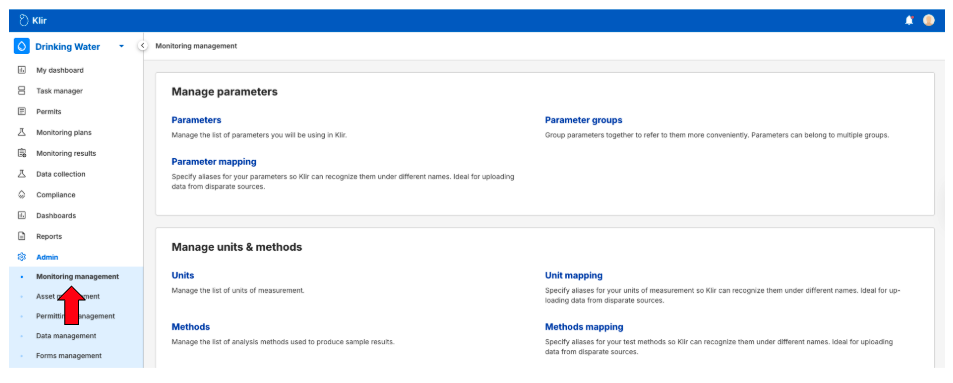
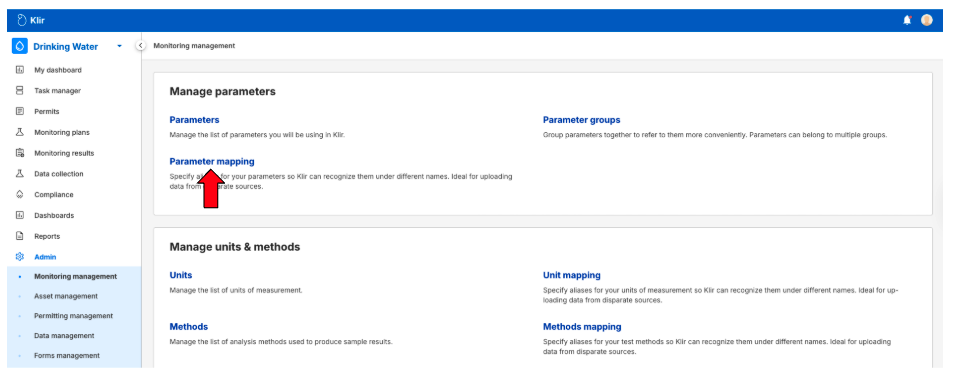
Click on Parameter Mapping.
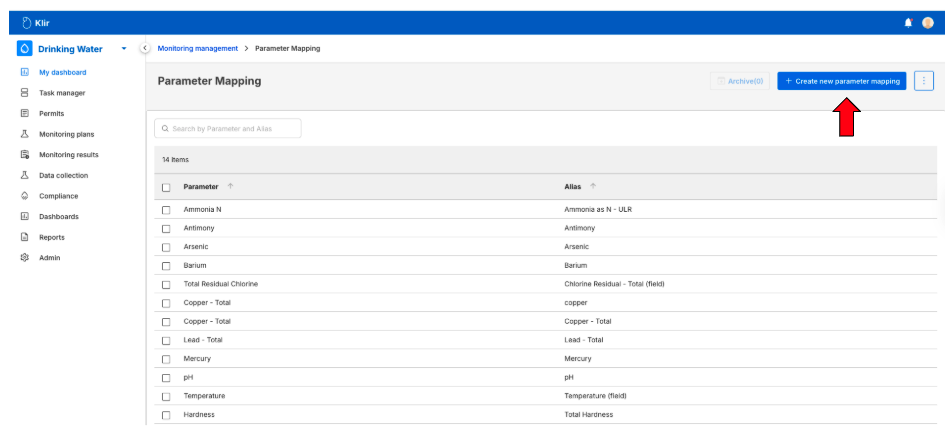
 Click + Create New Parameter Mapping.
In the Select Parameter field, type and select the parameter you want to create an alias for.
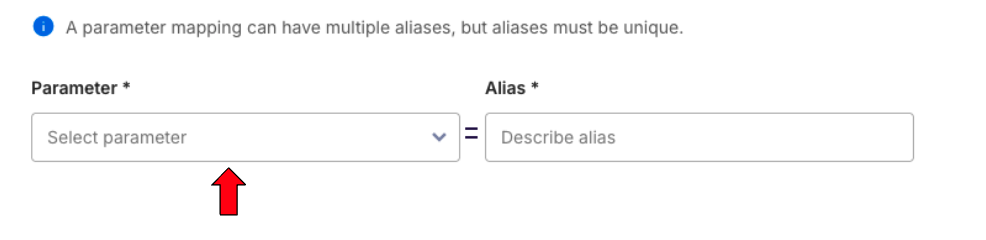
In the Alias field, enter the alternate name or variation.
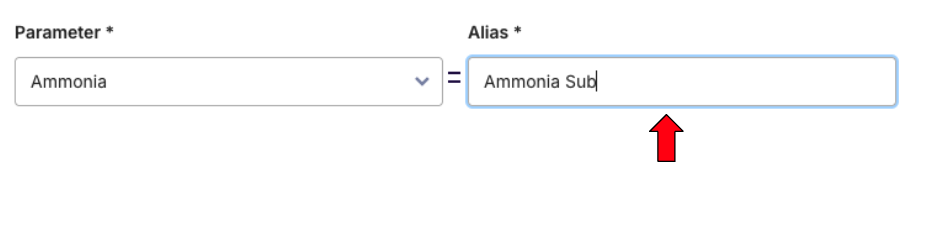
Click Create to save the alias.
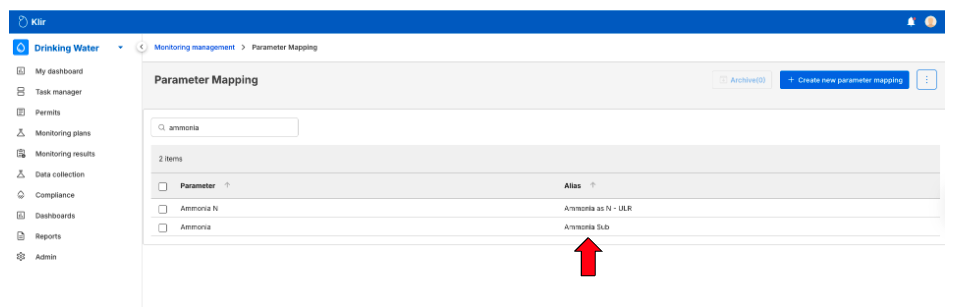
Once created, the alias will appear in the alias list and will be available for use during data imports.
Units
Creating a Unit Alias
Navigate to Admin in the main navigation menu.
Select Monitoring Management.
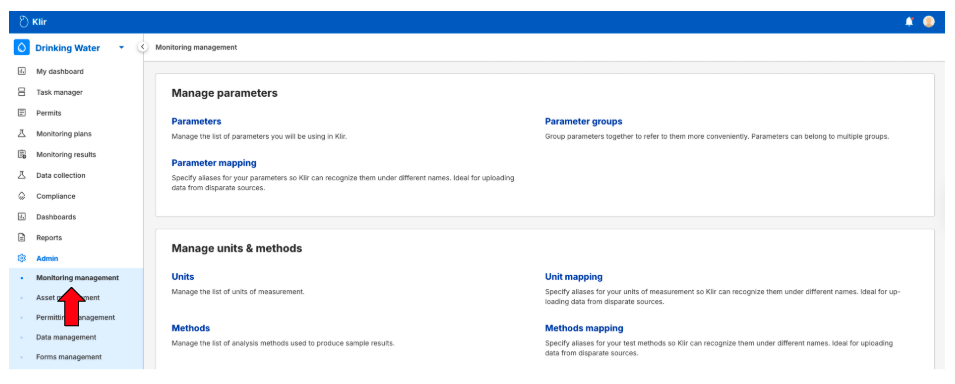
Click on Unit Mapping.
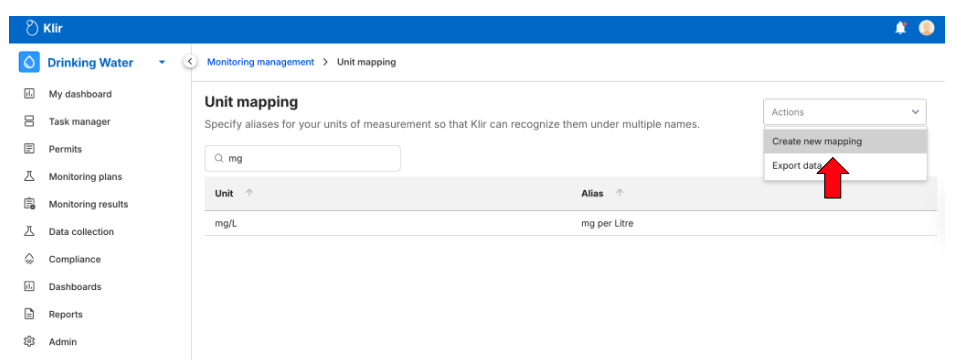
Click Actions and select Create new mapping from the list.
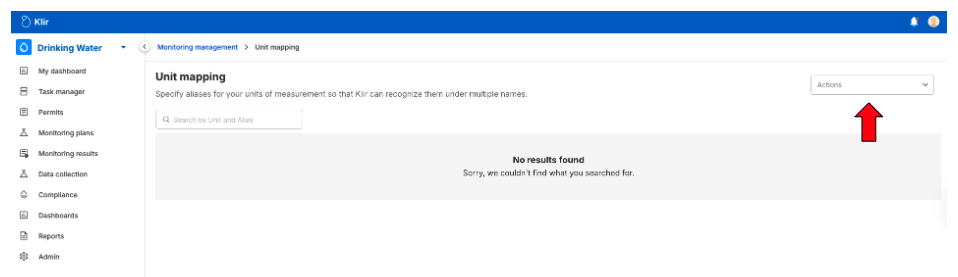
In the Select Unit field, type and select the unit you want to create an alias for.

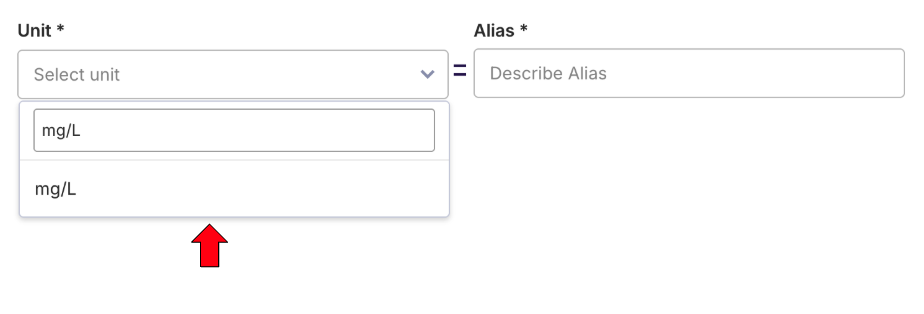
In the Alias field, enter the alternate unit name or format (e.g., different abbreviations or spacing).

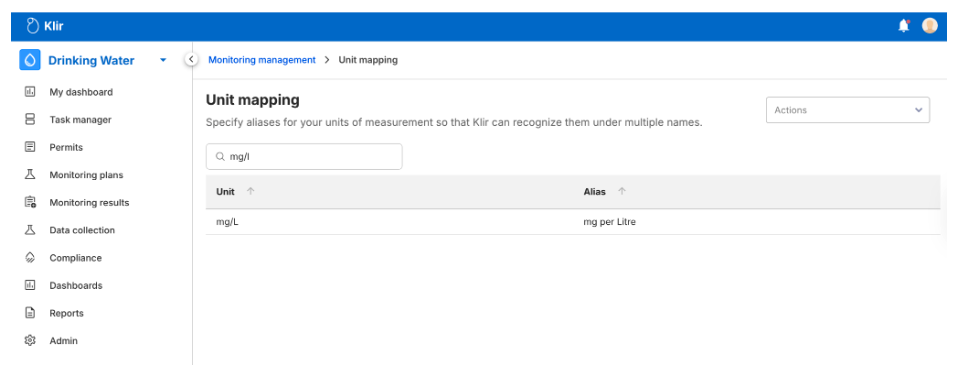
Click Create to save the alias.
The unit alias will now be available and applied during data imports when matching unit values.
Methods
Creating a Method Alias
Navigate to Admin in the main navigation menu.
Select Monitoring Management.
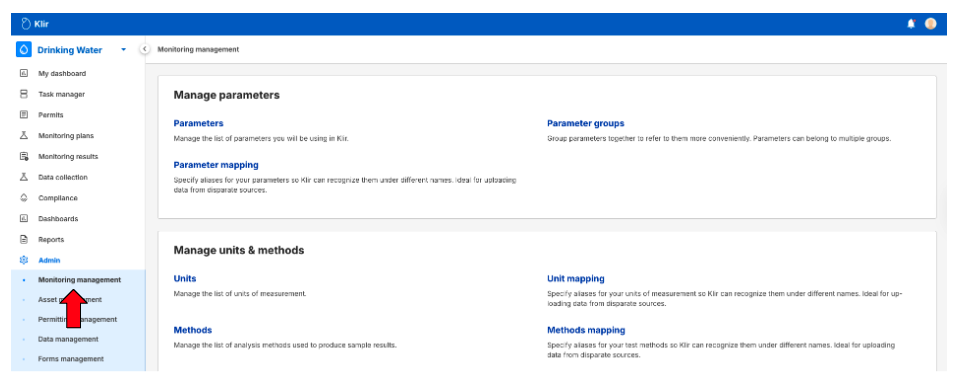
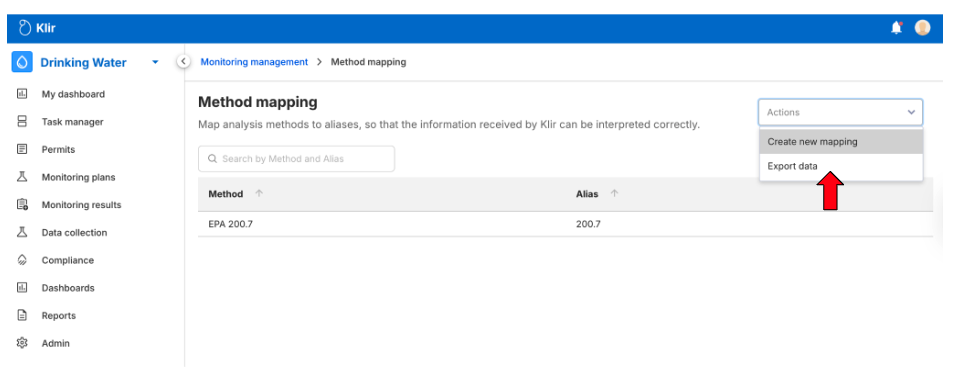
Click on Method Mapping.
Click Actions and select Create new mapping from the list
In the Select Method field, type and select the method you want to create an alias for.
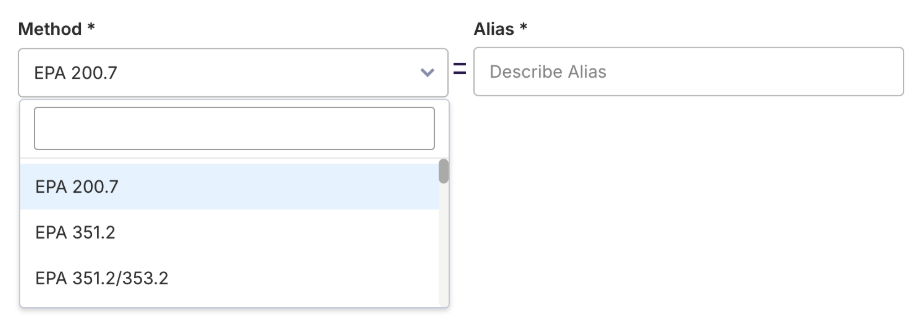
In the Alias field, enter the alternate method name or variation.

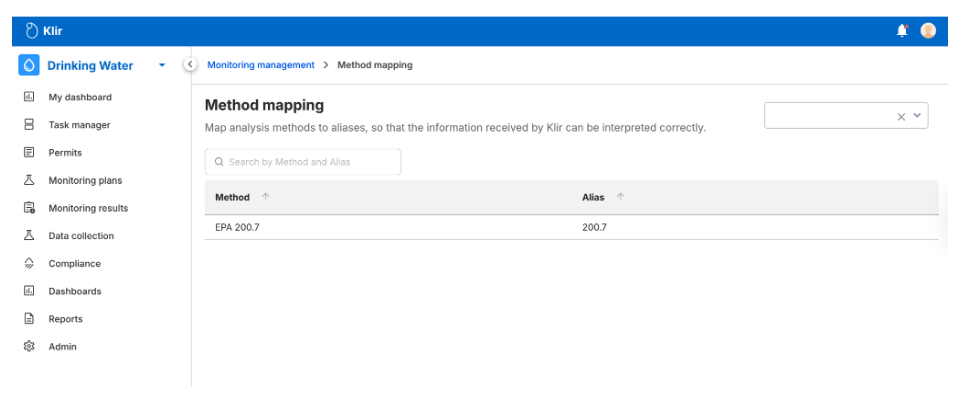
Click Create to save the alias.
The method alias will appear in the alias list and will be used during imports to ensure consistent method recognition.
Notes & Best Practices
- Ensure aliases accurately reflect variations found in incoming data files.
- Use consistent naming conventions to maintain clarity across the platform.
- Review existing aliases before creating new ones to prevent redundancy.
Summary
Aliases provide flexibility in data imports by allowing the platform to recognize different representations of the same parameter, unit, or method. Proper use of aliases helps prevent import errors and ensures data consistency across the system.