![Klir_Logo_Colour-B.png]](https://knowledgehub.klir.com/hs-fs/hubfs/Klir_Logo_Colour-B.png?width=181&height=90&name=Klir_Logo_Colour-B.png)
A Discharge Permit is the record that links your treatment plants and outfalls to their regulatory requirements (like NPDES) in Klir's Wastewater module. This article covers creating a permit, updating it over time, and generating tasks from it.
Create a Discharge Permit
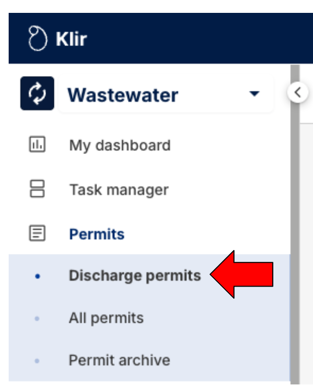
1. Go to the permit list. Navigate to Wastewater > Permits > Discharge Permits.
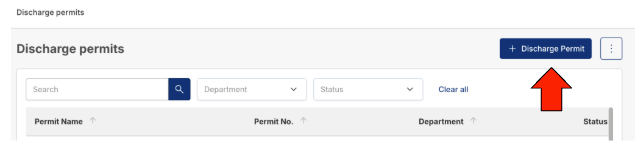
2. Start a new permit Click + Discharge Permit in the top-right corner.
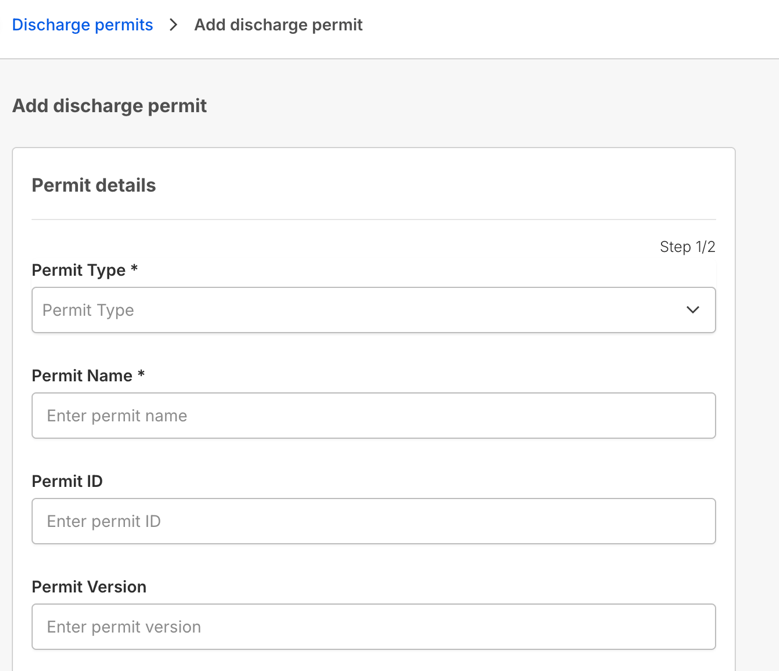
3. Enter permit details
- General info: Permit Name, Permit ID, Permit Version, Permit Type (e.g., General)
- Status: Active, Pending, or In Progress
- Key dates: Application Submitted Date, Date Issued, Effective Start Date, Expiry Date
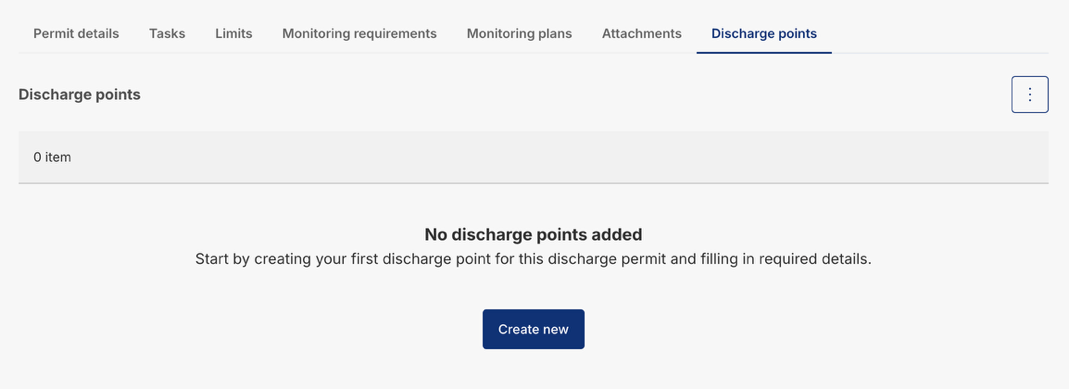
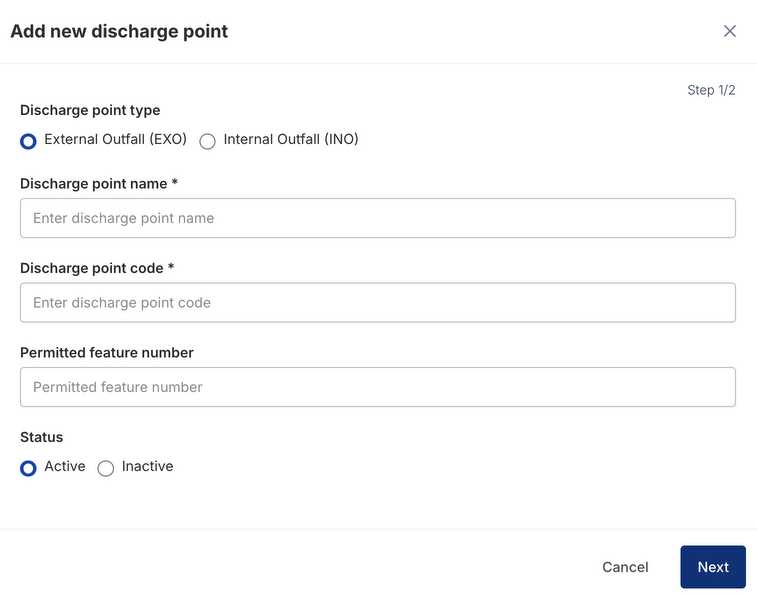
4. Link infrastructure
Connect the permit to the specific Discharge Points (outfalls) it governs. This tells Klir exactly where compliance monitoring applies — permits without linked discharge points won't show up correctly in monitoring views.
5. Save the permit
Click Save to finish. Your permit will now appear in the Discharge Permits list.
Edit an Existing Permit
Before you start: Editing a permit requires the Permit Manager role. If you don't see the Edit option, check your role with your Klir admin.
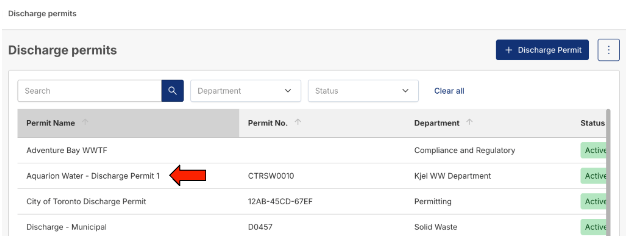
1. Open the permit. From the Discharge Permits list, click the permit name.
2. Update permit details On the Permit details tab, open the Actions menu (three-dot icon) and select Edit Permit Details. This reopens the same wizard used to create the permit — update statuses, extend expiry dates, or change contacts, then click Save.
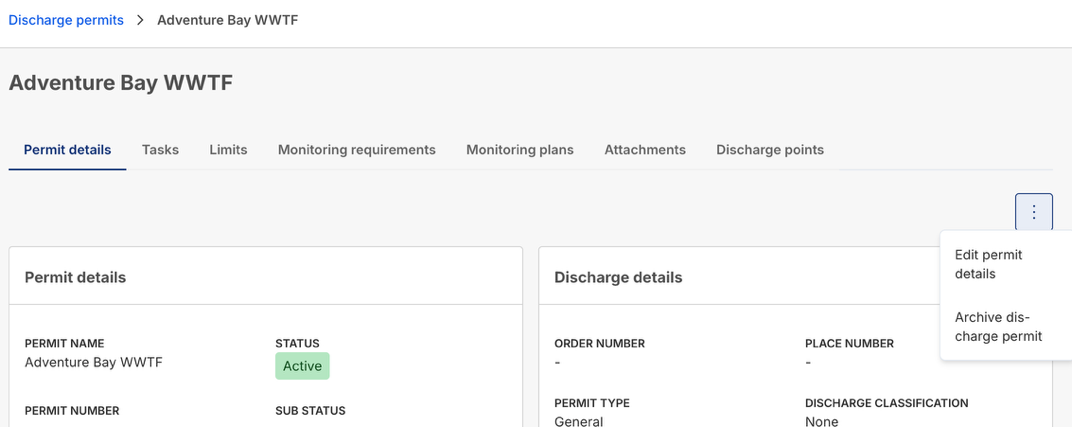
3. Manage compliance rules Use the tabs on the permit page to make changes without leaving the record for:
- Limits — add or adjust compliance thresholds
- Discharge points — add or remove linked outfalls
Create Tasks from a Permit
From the permit's Permit tasks tab, click + New Task and choose a task type:
|
Task type |
Use it for |
|
Permit Task |
General work tied to the permit itself — e.g., "Submit Annual Report," "Draft Renewal Application" |
|
Emission Task |
Work tied to a specific asset covered by the permit (a generator or boiler) — e.g., logging run hours or emission values |
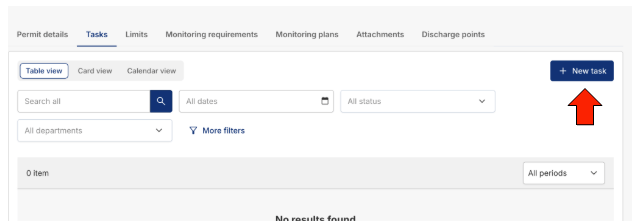
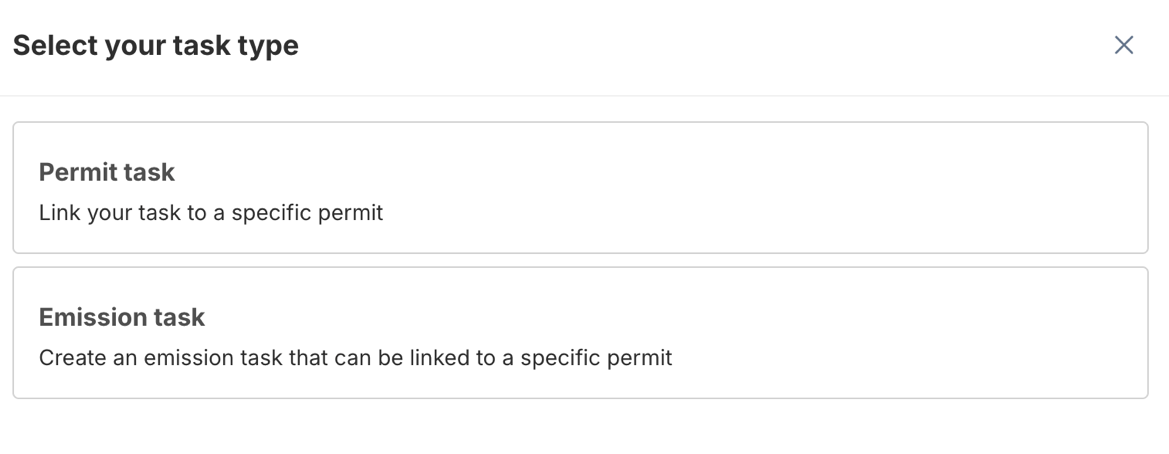
Tasks stay connected to the permit record, so nothing gets tracked separately from the compliance obligation it supports.